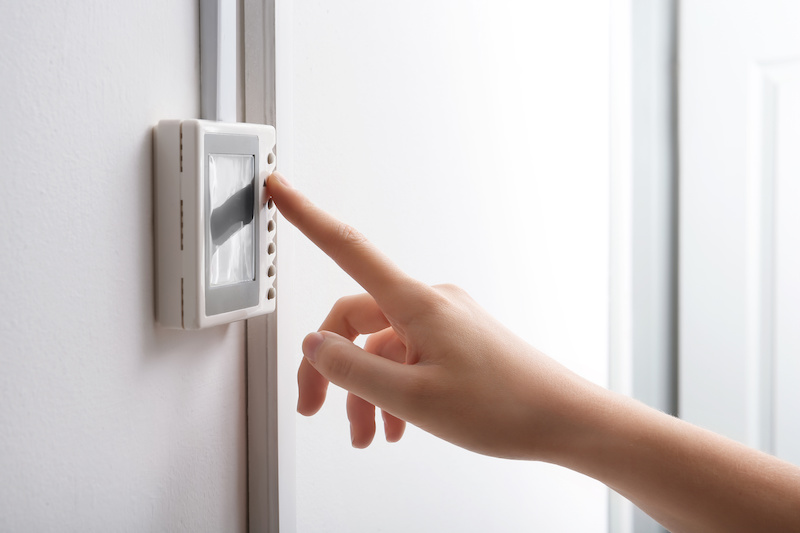
A blank thermostat screen is one of those problems that feels minor until it’s 112°F outside and your AC isn’t running. Before you call for service, there are several things you can check yourself. We’ve put together this guide because we see these issues constantly across Indio, Palm Springs, Palm Desert, and the surrounding valley, and in our climate, a few of the causes are more common than homeowners expect.
Here are the 8 most likely reasons your thermostat screen has gone blank, in roughly the order we’d check them.
1. Dead or Drained Batteries
Start here. It’s the most common cause and the easiest fix.
Most digital thermostats run on AA alkaline batteries. Some models, including certain Honeywell and Ecobee units, use AAA or a 3-volt lithium. Check the back of your thermostat faceplate if you’re not sure. The battery type is usually printed inside the compartment.
Pull the faceplate off the wall mount, swap in fresh batteries, and see if the screen comes back on. If it does, you’re done.
One note for Coachella Valley homeowners: extreme heat accelerates battery drain. If you’ve had your batteries in for more than a year, replace them annually as part of your fall or spring HVAC prep. It takes two minutes and saves a service call.
2. Tripped Circuit Breaker
If fresh batteries don’t fix it, head to your breaker panel.
Many thermostats are powered directly through the HVAC system, not on their own dedicated circuit. That means a tripped breaker on your air handler, furnace, or air conditioning unit can blank the thermostat screen even if the thermostat itself is fine.
Look for a breaker labeled “Air Handler,” “Furnace,” “AC,” or “HVAC.” If it’s in the middle position (not fully on, not fully off), it’s tripped. Switch it fully off, then back on. Give the system 2-3 minutes to reboot before checking the thermostat.
If the breaker trips again immediately, stop. A breaker that keeps tripping is telling you there’s a bigger electrical issue. That’s when you call us.
3. Clogged Condensate Drain Line
This is the one we see most often in the Coachella Valley, and it surprises a lot of homeowners.
Your air conditioning system removes humidity from the air as it cools your home. That moisture collects in a drain pan and flows out through a condensate drain line. When that line gets clogged by algae, debris, or mineral buildup, the drain pan fills with water. Most systems have a safety float switch that trips when this happens. The switch cuts power to your HVAC system to prevent water damage, and your thermostat screen goes blank.
Here’s why this is especially common in our climate: when temperatures are consistently above 100°F, your AC runs 12-15 hours a day or more. That’s a lot of condensate moving through the drain line. The more the system runs, the faster buildup accumulates.
How to check it: Find your air handler (usually in a utility closet, attic, or garage). Look for a white PVC pipe coming out of the unit — that’s the condensate drain. Check the pan directly below the coil for standing water. If there’s water sitting in the pan, the drain is clogged and the float switch has tripped.
How to clear it: Pour a cup of distilled white vinegar into the drain line access port (a small capped pipe near the air handler). Let it sit for 30 minutes, then flush with water. For stubborn clogs, a wet/dry vac on the exterior drain outlet can pull the blockage out.
If the pan is overflowing or you’re not comfortable with this, call us. A clogged drain that goes unaddressed can cause water damage to your ceiling, walls, or flooring.
Annual AC maintenance includes clearing the condensate drain. If you’re dealing with this problem more than once a season, a Blair Air Care Membership will keep it from coming back.
4. Power Surge or Outage Reset
If your thermostat went blank after a storm or a grid fluctuation, a simple reset may be all it needs.
The Coachella Valley sees summer thunderstorms and peak-demand grid stress that can cause brief surges and outages. These can knock a thermostat out of its normal operating state without damaging the unit.
How to reset by model:
- Honeywell T-series (T6 Pro, T9, etc.): There’s usually a small reset button on the side or bottom of the unit. Press and hold it for 5 seconds with a paperclip or pen tip.
- Ecobee: Press and hold the main touchscreen button for 10 seconds until you see the reset menu.
- Nest: Pull the thermostat off its base, wait 30 seconds, and press it back into place.
If the screen comes back after a reset but the system isn’t heating or cooling properly, the issue may be with the HVAC unit itself, not the thermostat.
5. Blown Safety Fuse
This one catches most homeowners off guard, but it’s a legitimate cause of a blank screen.
Inside your air handler, there’s a small 3-amp or 5-amp fuse that protects the low-voltage thermostat circuit. When a wiring issue or power spike blows this fuse, the thermostat loses power completely. The screen goes dark, no response at all.
To check it: turn off the HVAC system at the breaker, then open the air handler access panel. Look for a small cylindrical fuse on the control board, usually near the wiring terminals. If it looks discolored, melted, or broken when held up to light, replace it with an identical fuse. If you’re not sure, take a photo before touching anything and call us.
A blown fuse that recurs is a sign of a wiring problem that needs professional diagnosis.
6. Loose or Disconnected Wiring
Thermostat wiring is low-voltage, so it doesn’t take much to knock a connection loose. Vibrations from foot traffic, settling of the wall, or even pest activity can unseat a wire from its terminal.
We see this occasionally in older Coachella Valley homes and in properties where pack rats or roof rats have found their way into attic or wall spaces.
How to check it: Turn off the HVAC system at the breaker. Remove the thermostat faceplate from the wall mount. Look at the wire terminals on the back. Each wire should be seated firmly in its labeled terminal (R, G, Y, W, C, etc.). If any wire looks loose, barely inserted, or disconnected, press it firmly back into the terminal until it clicks or holds.
If wires look chewed, frayed, or burned, do not proceed. That requires a licensed technician.
7. HVAC System Safety Shutdown
Sometimes the thermostat isn’t the problem at all — it’s your HVAC system.
Modern AC and heating equipment includes safety switches that shut the system down when something is wrong: a tripped high-limit switch, a refrigerant pressure fault, a frozen evaporator coil, or an overheating motor. When the system shuts down on a safety fault, the thermostat loses power and the screen goes blank.
This kind of blank screen is your equipment telling you something needs attention. It’s not a thermostat issue. Resetting the breaker may bring the screen back temporarily, but the fault will trigger again if the underlying problem isn’t fixed.
If you’ve worked through all the checks above and everything looks normal, breaker is on, batteries are good, no clogged drain but the screen is still blank or keeps blanking out, there’s likely a safety fault in the HVAC system itself. At that point, call us for a diagnostic.
8. Your Thermostat Needs to Be Replaced
If your thermostat is more than 10 years old and none of the above checks resolves the blank screen, the unit itself may be failing.
Older thermostats, especially non-programmable analog or early digital models, wear out. A blank screen on a 12-year-old thermostat is often a sign it’s simply at the end of its life.
The good news: thermostat replacement is one of the least expensive HVAC upgrades available. A smart thermostat like the Ecobee SmartThermostat or Honeywell T9 adds remote control, scheduling, and usage insights on top of basic function. In the Coachella Valley, where cooling accounts for more than half of most households’ energy bills, the efficiency gains from a smart thermostat can actually show up in your bill within the first summer.
How to Troubleshoot a Blank Thermostat: Step-by-Step
Work through this process before calling for service:
Step 1. Check if the thermostat runs on batteries. If yes, replace them with fresh ones.
Step 2. Go to your breaker panel and find the breaker for your HVAC system. If it’s tripped, reset it. Give the system 3 minutes to restart.
Step 3. Locate your air handler. Check the condensate drain pan for standing water. If the pan is full, the float switch has tripped. Clear the drain line using the vinegar method described above.
Step 4. If the system went blank after a power event, try a model-specific reset (see Section 4 above).
Step 5. With the system off at the breaker, pull the thermostat faceplate and check that all wiring terminals are seated firmly.
Step 6. Open the air handler access panel and inspect the control board fuse. Replace if blown with an identical-rated fuse.
If you’ve completed all six steps and the screen is still blank, the issue is likely inside the HVAC equipment itself. That’s where we come in.
When to Stop Troubleshooting and Call Us
There’s a clear line between what a homeowner can safely check and what needs a licensed technician. Stop troubleshooting and call us if:
- The breaker trips again after you reset it
- You see standing water beyond the drain pan (on the floor, ceiling, or walls)
- Any wiring looks burned, frayed, or chewed
- The screen comes back but the system still won’t run
- You’ve completed all six steps above and the screen remains blank
We serve Indio, Palm Springs, Palm Desert, La Quinta, Cathedral City, and the surrounding Coachella Valley. Same-day appointments are usually available for HVAC issues during peak season. Schedule a service call or call us directly.
Frequently Asked Questions
Why would my thermostat screen suddenly go blank?
The most common causes are dead batteries, a tripped circuit breaker, or a clogged condensate drain line that triggered the safety float switch. Start with batteries first, then check your breaker panel. If neither resolves it, the condensate drain is the next most likely culprit, especially in the Coachella Valley, where AC units run long hours and drain lines accumulate buildup faster than in cooler climates.
Can I fix a blank thermostat myself?
For the most common causes, like dead batteries, a tripped breaker, a clogged drain line, or a loose wire at the terminal, yes. These are safe and straightforward to check. If the screen is still blank after those steps, the issue is likely inside the air handler or HVAC equipment and should be handled by a licensed technician.
Why does my thermostat keep going blank in the summer?
In the Coachella Valley, recurring summer blank screens are almost always caused by a clogged condensate drain. When your AC runs 12-15 hours a day in extreme heat, it produces a high volume of condensate. If the drain line isn’t fully clear, the safety float switch trips repeatedly. Annual AC maintenance clears the drain and prevents this from becoming a recurring problem.
How do I reset a blank thermostat?
The reset process depends on the model. For Honeywell T-series thermostats, press and hold the reset button on the side or bottom of the unit with a paperclip. For Ecobee, hold the main button for 10 seconds until the reset menu appears. For Nest, remove the thermostat from its base for 30 seconds and reattach it. If the screen doesn’t respond after a reset, the problem is likely with your HVAC system rather than the thermostat.
When should I replace my thermostat instead of repairing it?
If your thermostat is more than 10 years old, has a recurring blank screen, or behaves inconsistently replacement is usually more cost-effective than a repair call. Upgrading to a smart thermostat also improves efficiency, which matters in a climate where cooling costs are significant.